
Tutorial
Step 10: Validation in dialogs
| This step shows you how to validate user input in dialogs. |
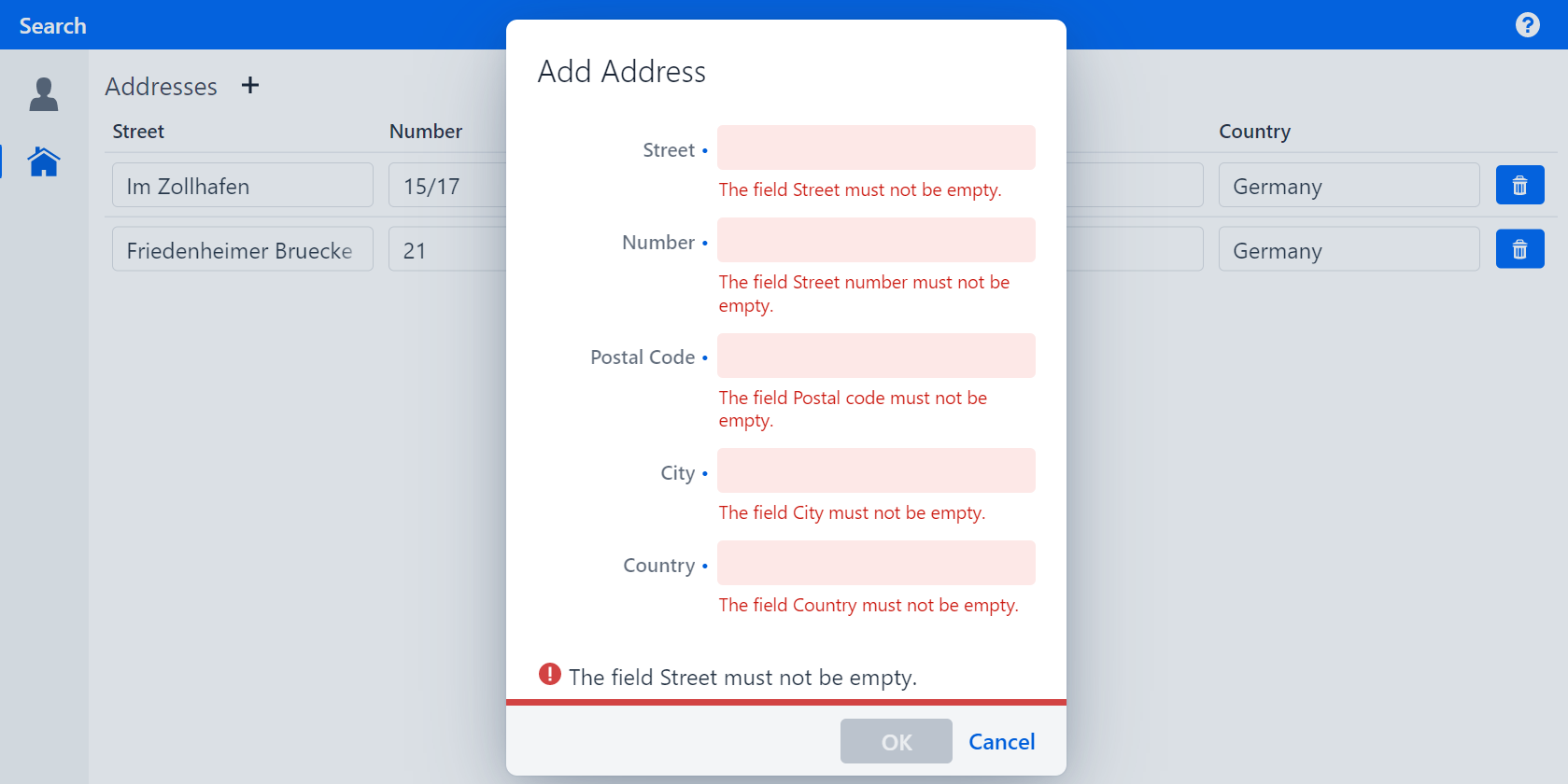
As you may have noticed, you can add an empty address to the address table. This can be considered invalid, and it can be avoided by using Validation, which is a way to tell the user whether the input fits the domain model logic.
Figure 1. Add Address dialog with validation rules
Marking input fields as required
To inform the user which fields have to be filled in, the fields can be visually marked as required.
Set the property required to RequiredType.REQUIRED for all fields in AddressPmo.
Specifying the RequiredType will only display a blue point.
It does not prevent the user from leaving the field empty, nor will it display the validation rule that is violated by doing so.
|
The finished implementation should look like this:
AddressPmo.java
@UITextField(..., required = RequiredType.REQUIRED)
public void street() {
...

@UITextField(..., required = RequiredType.REQUIRED)
public void streetNumber() {
...

@UITextField(..., required = RequiredType.REQUIRED)
public void postalCode() {
...

@UITextField(..., required = RequiredType.REQUIRED)
public void city() {
...

@UITextField(..., required = RequiredType.REQUIRED)
public void country() {
...
If you run your application, you should see a blue point next to the label of each field:
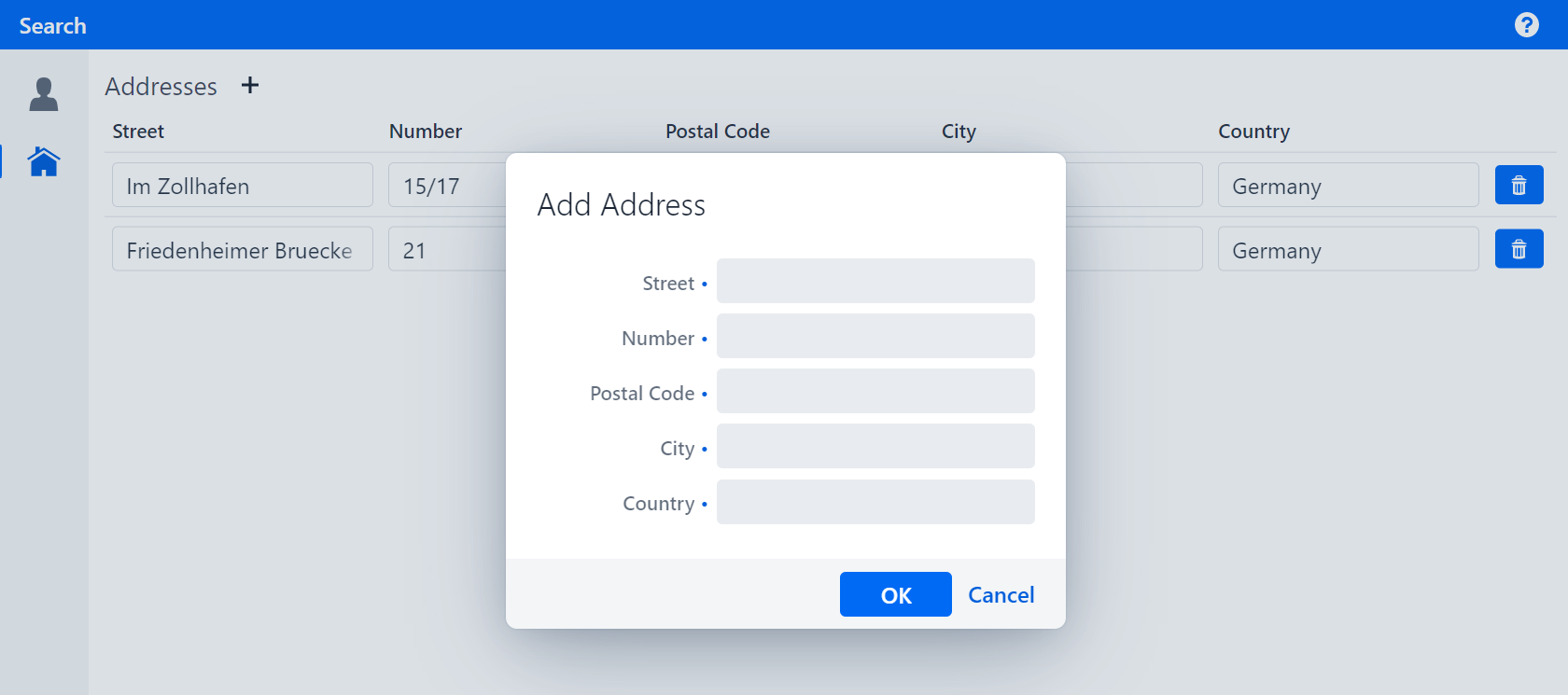
Figure 2. Add Address dialog with blue points at required fields
Validating the input fields
Validations typically have a justification in the domain model. If for example an attribute is mandatory, this information should be handled by the implementation in the domain model so that all applications that use the same model follow the same logic.
In this case, the domain model class Address implements a method validate().
This method returns a MessageList, which is a list of validation messages that contain the justification as well as which attributes of which objects they refer to.
The only thing left for you to do is to transfer these messages to the fields in the UI.
In linkki, displaying and distributing validation messages is handled by so-called ValidationServices.
These ValidationServices are functional interfaces returning a MessageList.
Each DialogPmo has a method validate, which implements a ValidationService and can be overridden to return the validation result of our Address.
Override the validation in the method AddAddressDialogPmo.validate:
-
Call
validateon the content PMO’s address. -
Pass the address´ validation to
org.linkki.ips.messages.MessageConverter#convertand return the result
To be able to use the MessageConverter you need to add the following dependency:
<dependency>
    <groupId>org.linkki-framework</groupId>
    <artifactId>linkki-ips-vaadin-flow</artifactId>
    <version>${linkki.version}</version>
</dependency>
The finished implementation should look like this:
AddressTablePmo.java
@Override
public MessageList validate() {
    return MessageConverter.convert(contentPmo.getAddress().validate());
}
If you run your application and try to add an address without filling in all the fields, you should get an error saying, e.g., "The field Street must not be empty.".
Figure 3. Add Address dialog with validation rules